Introduction

VRay is produced by the chaosgroup and asgvis company, VRay is the industry's most popular rendering engine. V-Ray based kernel development has VRay for 3ds max, Maya, Sketchup, Rhino and many other versions for different areas of the excellent 3D modeling software provides high-quality images and animation rendering. Vray features focused on the production of indoor and outdoor renderings.
On this webquest focuses on teaching us how to make Exterior lighting layout.
Task

You will follow the process step by step to learn how to set up Exterior vray lighting in 3D max.
Process
Firstly, we should determine the material, should be care rendered Exterior color matching. In Exterior design renderings, most likely to create the effect are glass and aluminum.

Secondly, we have to organize the 3D scene, because many lines and face in 3D models, in order to reduce the rendering time and improve rendering speed. My experience is activated material collapse. But berfore acticating the material collapse, please backup your 3D file.
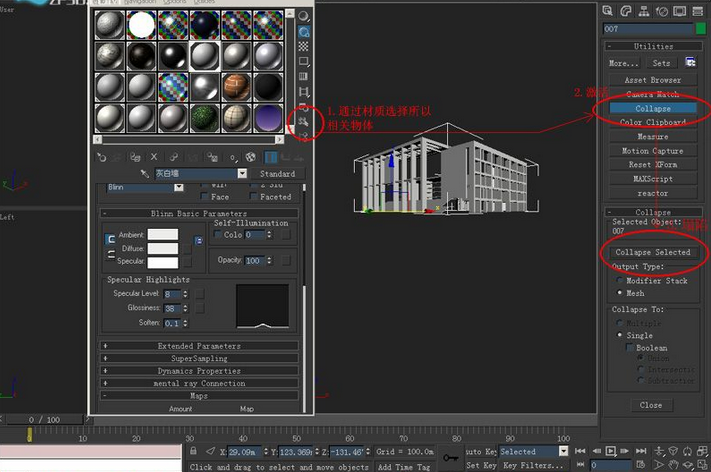
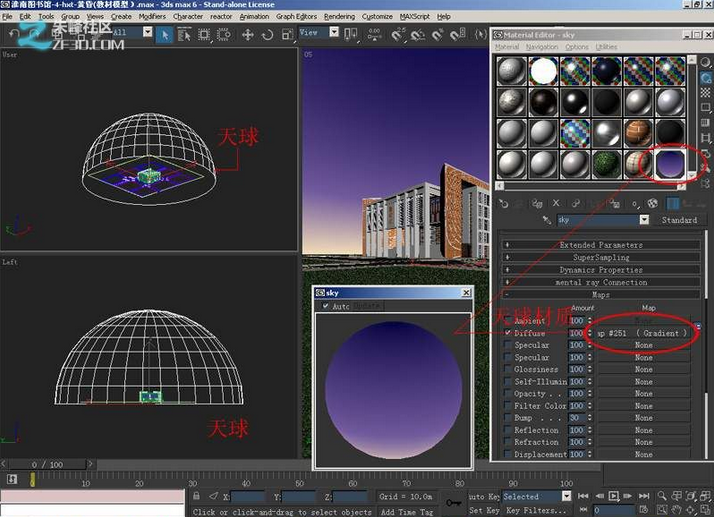
After the backup file, and we started setup lighting. After the backup file, and we started making lights. First, make a celestial sphere, is to make architectural glass has a reflective effect. Best to have a map, and then paste the Gradient. With such a gradient effect.
Arranged around the building setup Onmi light, but the light of the building and the lower back can be ignored, Can be reduction of the light appropriate number.
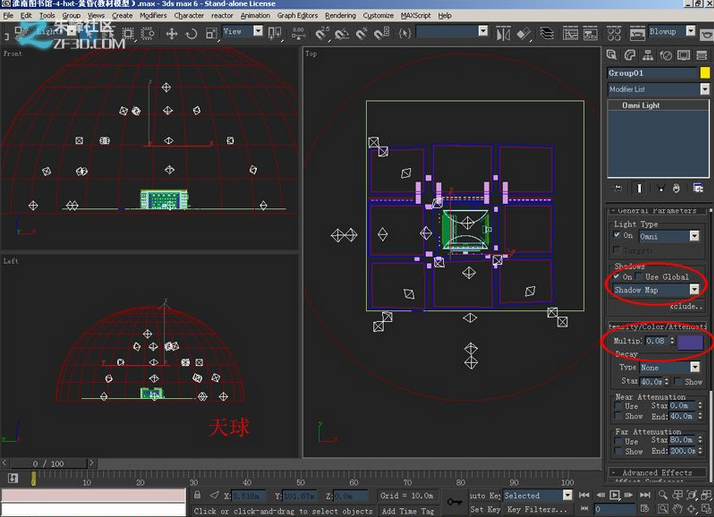
lighting Parameters are as follow.
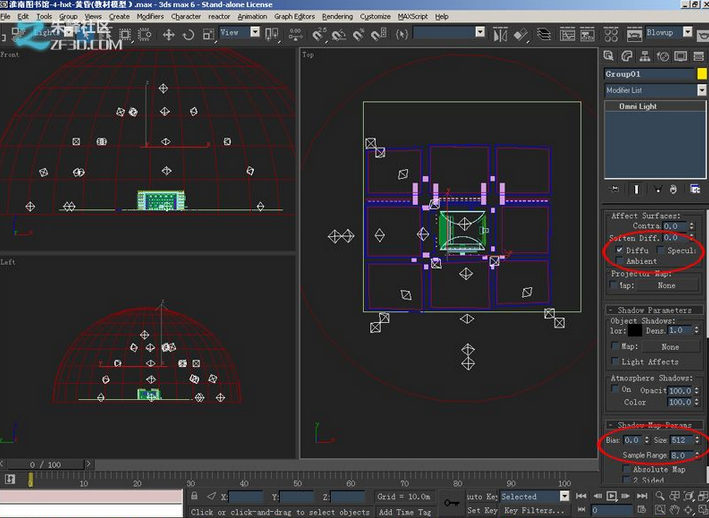
In order to prevent the bottom of the building too dark, we set up two vray lighting. Let the whole building looks brighter.
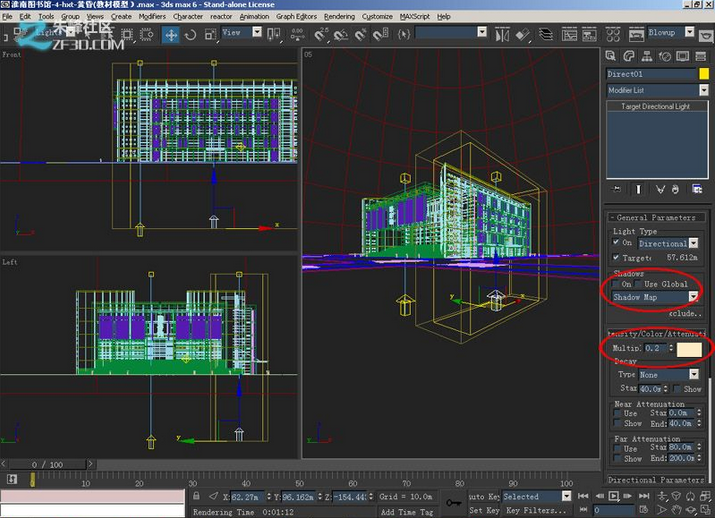
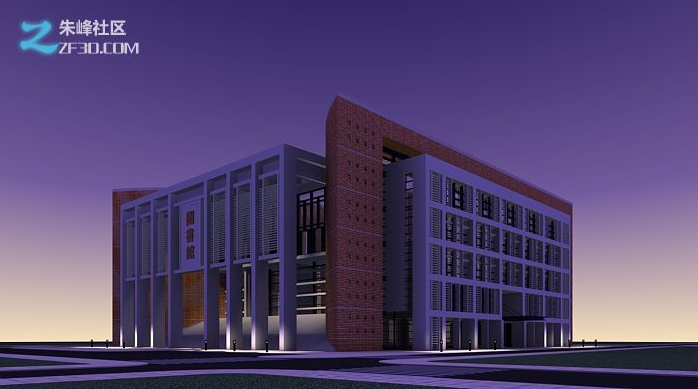
In the vicinity of the building there are two rows of lamps, we want lighting effects looks good, we have to add light. Set some onmi lights, at this time, to pay attention to lighting range, in the right distance.
Lighting parameters are as follows.

We test render, we will find a place in the staircase will be relatively dark, we add some lights in this place. Lighting parameters are as follows.
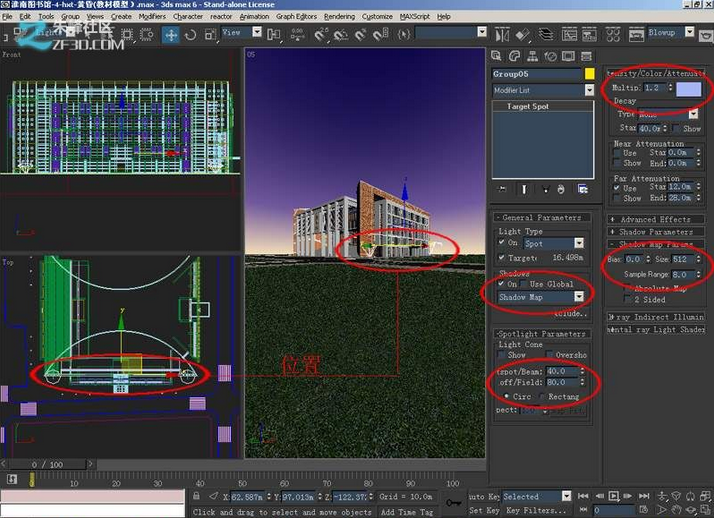
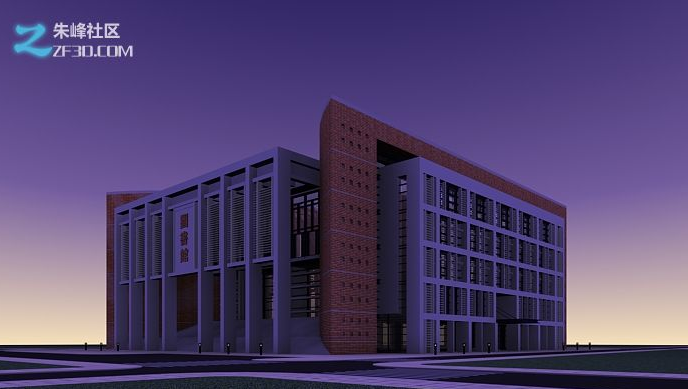
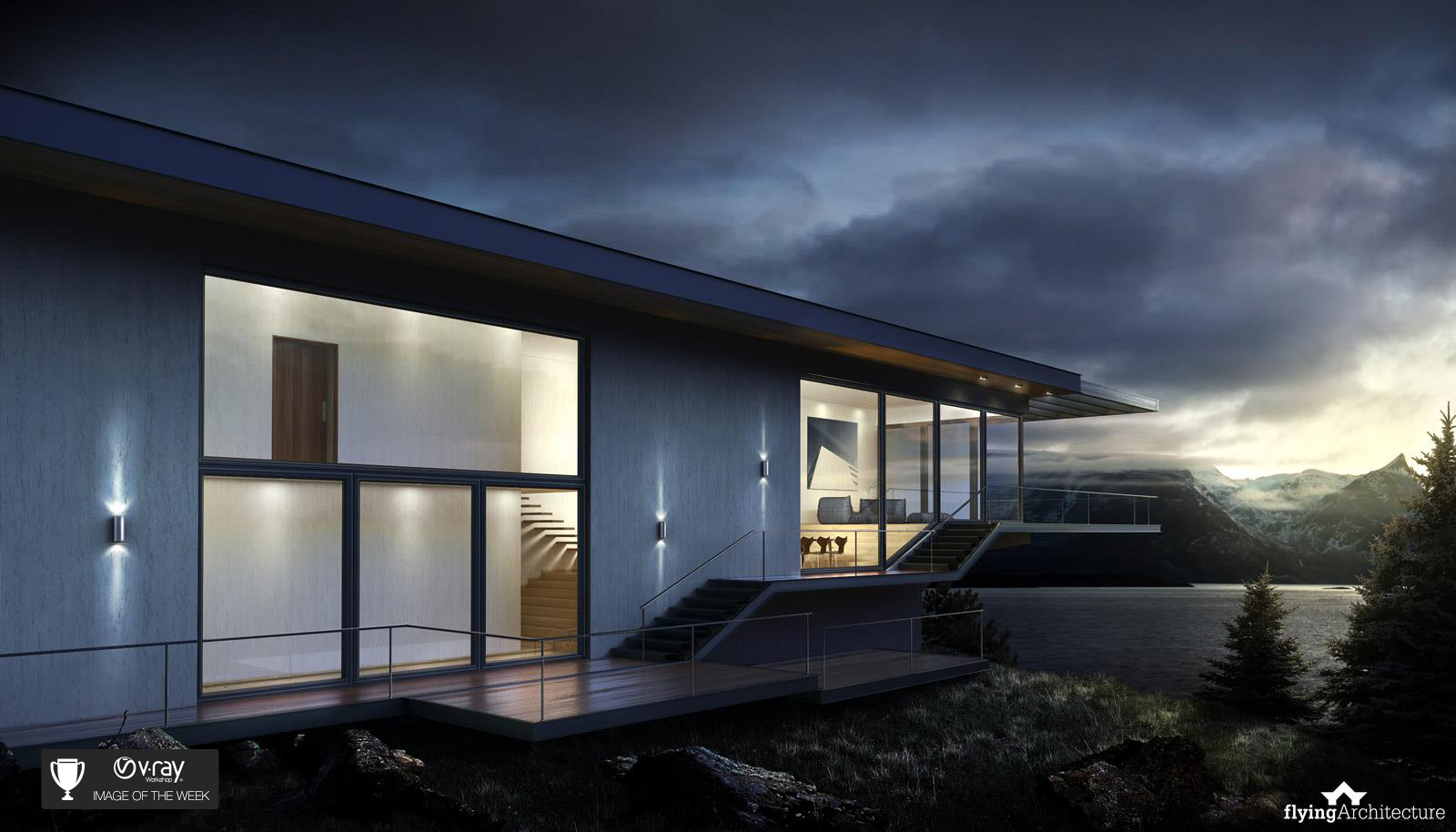
finish all the light setup, after rendering, we found that the effect of a lot better and relistic than before. This is the final effect we get. after render we can insert picture to photoshop. put the elements we want.

Congratulations on a job well done!
Evaluation
|
|
4 |
3 |
2 |
1 |
points |
|
artistic |
fabulous |
beautiful |
good |
Not look very good |
|
|
stitch |
Perfectly neat |
Very neat |
A little bit messy |
messy |
|
|
Utility |
Very useful, can put lots of st aff in the bag |
useful |
not really good |
Cannot usel |
Conclusion
After this part of the study, we found that vray render our main focus is detail, and patience to adjust every aspect. When rendering the exteior, the glass material must be include, outdoor daylight is also important. Arranged in each of light is the key to achieve the final effect.
Credits
The image of the webquest comes from the website.
http://www.zf3d.com/News.asp?id=13391
We all benefit by being generous with our work. Permission is granted for others to use and modify this WebQuest for educational, non-commercial purposes as long as the original authorship is credited. The modified WebQuest may be shared only under the same conditions.