
Introduction
by Lorraine Hedgepeth, Averett University
Students will be given a website for a short practice quiz about input and output devices and a second website to explore about different input, output and storage devices. Each student will have to investigate, critically think about the which devices he/she want to chose to create a 3-5 page flyer.
Task
Task
At the very end of the project, students will have 3 flyers (a visual) in MSWord. Students will have created their very own flyers using creativitiy and special formatting tools in MS Word. Students will be using the internet for research, and Microsoft Word for the final part in the project. The total pages could be a 3-5 page flyer in MS Word.
This project will be submited to the teacher via moodle2.
Process
- Go to the Website and take the Introduction quiz. It's ABC Easy but has a lot of good information. http://www.abcya.com/input_output.htm
- Next go to the following website http://www.computerhope.com/issues/ch001355.htm your screen should look like this
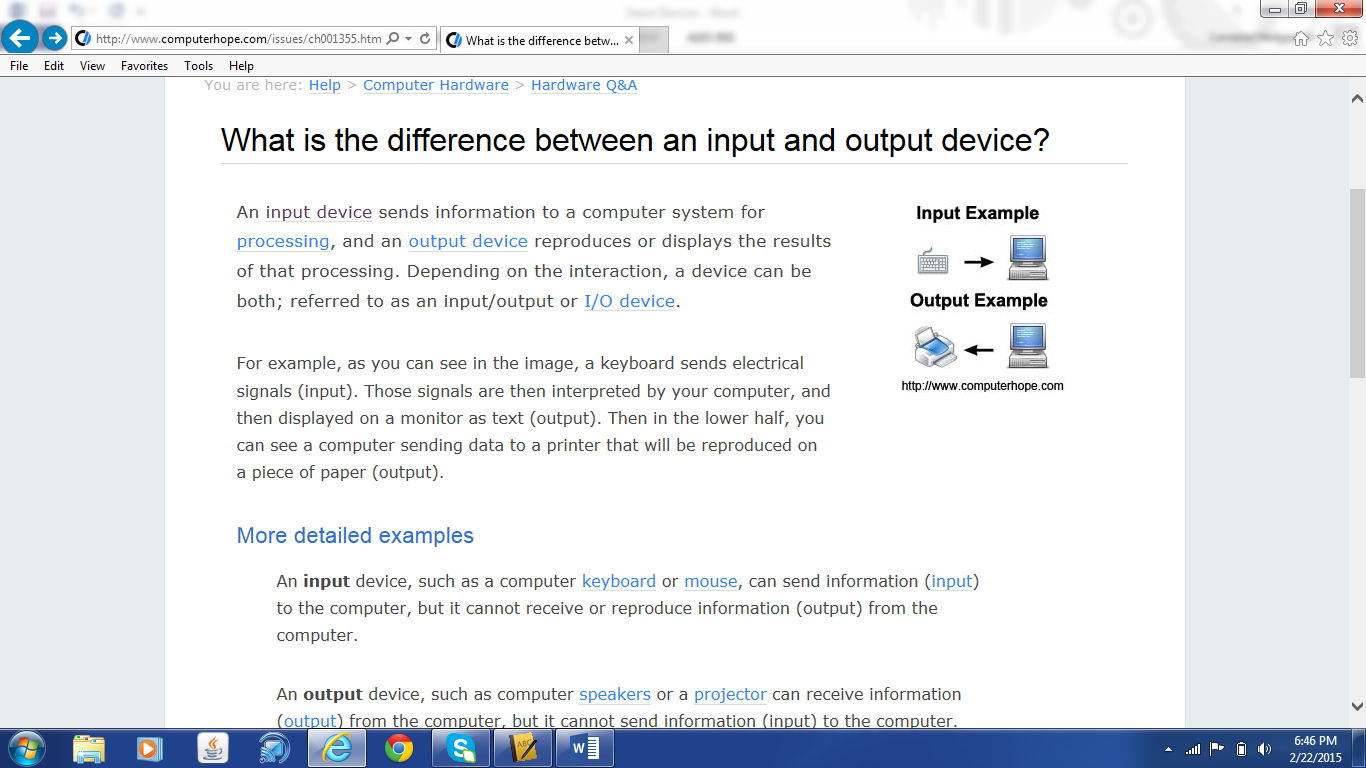
- click on the words input device.
- This will take you to another web page of a long list of different types of input devices.
- Choose one of these devices by clicking on its name. (Do not choose keyboard, or mouse).
- Read a little about this input device
- Next go to google and find an image for this input devices.
- Now right mouse click on the image and choose Copy.
- Go to MS Word and paste this image and identify the device using a text box, or shape, and use different fonts for your text and use color.
- Repeat steps and 4 through 9, finding 4 more different types of input devices .
- At the end you should have 5 devices and (You may need to create a page 2.)
- Repeat steps 4-9 finding different types of output devices (may be page 3).
Evaluation
- Use different shapes for adding text
- Each shape should have color
- Use different fonts and different effects.
- Must have a picture style around each image.
Your flyers should like like this (of course with 5 input devices, 5 output devices, 3 storage devices).
BE creative Note: the example only has 2, BUT YOU NEED 5 examples of the input and output devices and 3 storage devices.

Conclusion
Conclusion
Congratulation! You are done. Did you learn anything new? Was this project meaningful to you? Take the digital part of the project home show it to your family and friends.
I can show you how to convert it to another program if you need me to help you.
Credits
Credits
Permissions We all benefit by being generous with our work. Permission is granted for others to use and modify this WebQuest for educational, non-commercial purposes as long as the original authorship is credited. The modified WebQuest may be shared only under the same conditions. See the Creative Commons Attribution • Non-Commercial • Share-Alike license for details.
Teacher Page
by Loraine Hedgepeth, Averett University
This WebQuest will allow students to learn more about Microsoft Word. This knowledge will help students successfully utilize this program for use in the classroom or professional setting.
Teacher Introduction
Instructors, this WebQuest is a great resource for your students to use to help them improve their communication skills in and outside of the classroom. It is intended to give them experience in creating their own flyers for other class projects and gain skills in using them either for a formal, informal and informational presentation.